

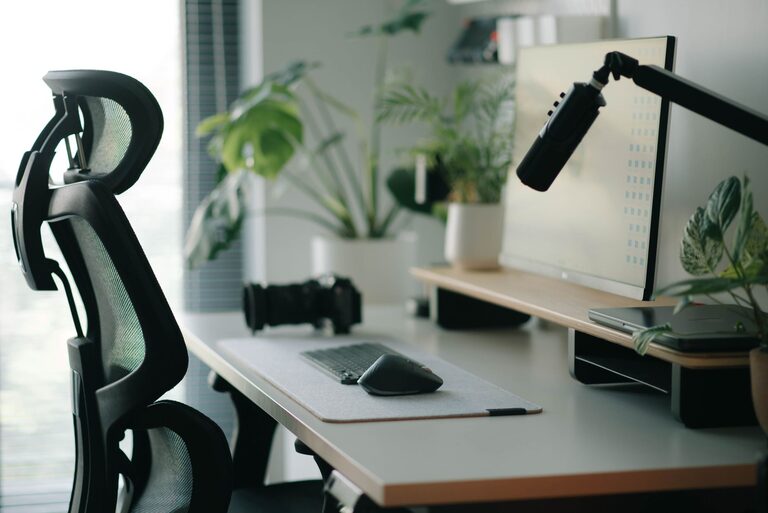
Creating a desk setup that promotes both focus and comfort is essential for productivity and well-being, especially if you spend long hours working or studying. A well-organized and ergonomic workspace helps reduce distractions, prevent physical discomfort, and improve your overall efficiency. In this post, we’ll explore key tips to design a desk setup that supports concentration and comfort throughout your day.
Why a Good Desk Setup Matters
Your desk is more than just a surface to place your computer. It’s where ideas form, tasks get done, and creativity flows. When your workstation is cluttered, poorly arranged, or uncomfortable, it can lead to stress, fatigue, and decreased focus. On the other hand, a thoughtfully arranged desk helps you stay organized and maintain a healthy posture, which benefits both your mind and body.
Choosing the Right Desk and Chair
Desk Height and Size
Select a desk with a height that allows your elbows to rest comfortably at about 90 degrees when typing or writing. The desk should be spacious enough to hold your computer, accessories, and any necessary documents without feeling cramped.
Ergonomic Chair
Invest in a chair that provides proper lumbar support and adjustable features such as seat height, armrests, and backrest tilt. A chair that fits your body can prevent back and neck strain.
Proper Monitor Placement
Eye Level Alignment
Position your monitor so the top of the screen is at or slightly below eye level. This prevents neck strain by encouraging a natural, forward-facing posture.
Distance from Eyes
Keep your monitor about an arm’s length (20–30 inches) away. This distance reduces eye strain and keeps your workspace comfortable.
Optimize Lighting
Natural Light
Whenever possible, place your desk near a window to benefit from natural daylight. Natural light helps maintain alertness and reduces eye fatigue.
Task Lighting
Use a desk lamp for focused lighting, especially if you work in the evenings or in low-light conditions. Adjustable lamps allow you to direct light where you need it most.
Organize for Efficiency and Clarity
Declutter Regularly
Keep only essential items on your desk. Remove unnecessary clutter like old papers, unused gadgets, or random personal items to maintain a clean surface.
Use Storage Solutions
Incorporate desk organizers, trays, or drawers to store pens, notebooks, and other supplies. Having designated spots for your items helps you find them quickly and keeps your workspace tidy.
Comfort Accessories to Consider
Wrist Support
A wrist rest for your keyboard and mouse can reduce strain and prevent discomfort during long typing sessions.
Footrest
If your feet don’t comfortably reach the floor, a footrest can improve posture and reduce leg fatigue.
Plants and Personal Touches
Adding a small plant or personal items can make your workspace more inviting and boost your mood without causing distractions.
Maintain Good Posture
Sitting Position
Sit with your feet flat on the floor, knees at about 90 degrees, and back firmly against the chair.
Take Breaks
Stand up, stretch, or walk around every 30 to 60 minutes. Movement relieves muscle tension and refreshes your focus.
Cable Management
Tidy cables with clips, sleeves, or under-desk trays to avoid tangling and clutter. Neat cables prevent distractions and give your desk a cleaner look.
Use Technology Wisely
Noise Reduction
If you work in a noisy environment, consider noise-canceling headphones to help you concentrate.
Digital Organization
Keep your desktop and digital files organized to complement your physical workspace. A clutter-free screen reduces mental distractions.
Personalize Without Overdoing It
Personal touches can increase comfort and motivation but avoid overcrowding your desk. Choose a few meaningful items that inspire you.
Final Thoughts
A desk setup that supports focus and comfort doesn’t require expensive equipment or complete redesigns. Small adjustments, thoughtful organization, and ergonomic choices can transform your workspace into a more productive and pleasant environment. By prioritizing your comfort and minimizing distractions, you’ll be better equipped to work efficiently and feel good throughout your day.
Start with these tips and adapt your space to what works best for you — your ideal desk setup is just a few steps away!